
Master Solutions Blog
Master Solutions has been serving the Naperville area since 1996, providing IT Support such as technical helpdesk support, computer support, and consulting to small and medium-sized businesses.
Say Goodbye to Workspace Chaos with These Simple Habits.

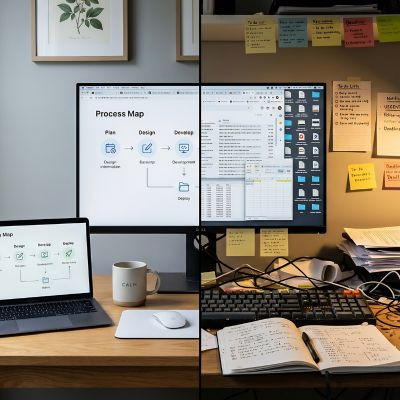
Every office has one. You know the desk. It looks like an archaeological dig site, complete with geological layers of sticky notes from 2022, three half-empty cold brew cups, and a cable tangle so dense it has created its own local gravitational field.
We laugh about it, but physical chaos on a workstation is a quiet tax on daily productivity. When your desk is buried under paper, loose cords, and mystery office supplies, simple tasks take twice as long. Searching for a specific file or trying to find an open power outlet shouldn't feel like an obstacle course. Visual clutter forces your brain to process unnecessary information, which slows down your focus and wastes valuable time.
Cleaning up your workspace isn't always about being neat for the sake of it; it is actually about efficiency. The process is actually pretty simple if you follow a few basic habits.
5 Practical Tips to Clean and Maintain Your Desk
Clear your primary real estate. Everything within arm's reach should be limited to items you use every single hour. Your monitor, keyboard, mouse, and a water bottle belong on top of your desk. Everything else needs to live in a drawer or a cabinet until you actually need it.
Handle your dangle. Loose cords are the fastest way to make a clean desk look disorganized. Route your monitor, keyboard, and power cables using basic Velcro straps or adhesive cable clips attached to the back of your desk. Keep only essential charging cables visible, and mount your power strips under the desk surface to keep them off the floor.
Digitize all those sticky notes. Ringing your monitor bezel with neon sticky notes isn't a task management system; it's visual noise. Use desktop tools like Microsoft Sticky Notes or a built-in task management application to track quick reminders. You will keep your physical workspace clean and stop losing vital phone numbers under your keyboard.
Implement a single in-tray for paper. If physical documents are required for your daily workflow, do not let papers spread across your entire desk surface. Establish one physical tray for incoming paper. Once that tray is full, make it a strict rule to process, file, or shred those documents before starting a new project.
Adopt the five-minute end-of-day reset. Before you lock your computer and head home, spend five minutes returning everything to its designated spot. Throw away disposable cups, pre-Halloween candy wrappers, file stray papers, and clear off loose items. Walking up to a clean desk the next morning sets a productive, focused tone for your entire workday.
Optimizing Workspace Efficiency with Master Solutions
A clean desk surface is only half the battle. If your cables are a mess, your dual monitors are set up at awkward angles, or your workstation hardware is outdated, a basic tidy-up won't solve your underlying workflow bottlenecks. Hardware configuration, proper cable management, and clean peripheral setups directly impact how comfortably and quickly your team works.
At Master Solutions, we help businesses set up organized, high-performing workstation environments. From clean cabling setups to deploying reliable desktop hardware, we handle the technical details so your employees can focus on getting work done without fighting their equipment.
If your office workstations look more like a tech disaster area than a productive environment, call us at (630) 495-3830. We will help you streamline your hardware, tidy up your tech setups, and get your workspace running smoothly.
Mobile? Grab this Article
Comments